Help & Documentation
A practical guide for designing primers for SNVs/indels, allele-specific PCR, and structural variants, plus SilicoPCR for checking existing primer pairs — including input formats, result interpretation, and reporting.
Quick start
Design primers in 60 seconds
- Choose a mode: SNV/Indel, Allele-specific PCR, Structural variants, or SilicoPCR.
- Enter input (or use Load Example where available).
- Generate primers (or Run SilicoPCR) and inspect results.
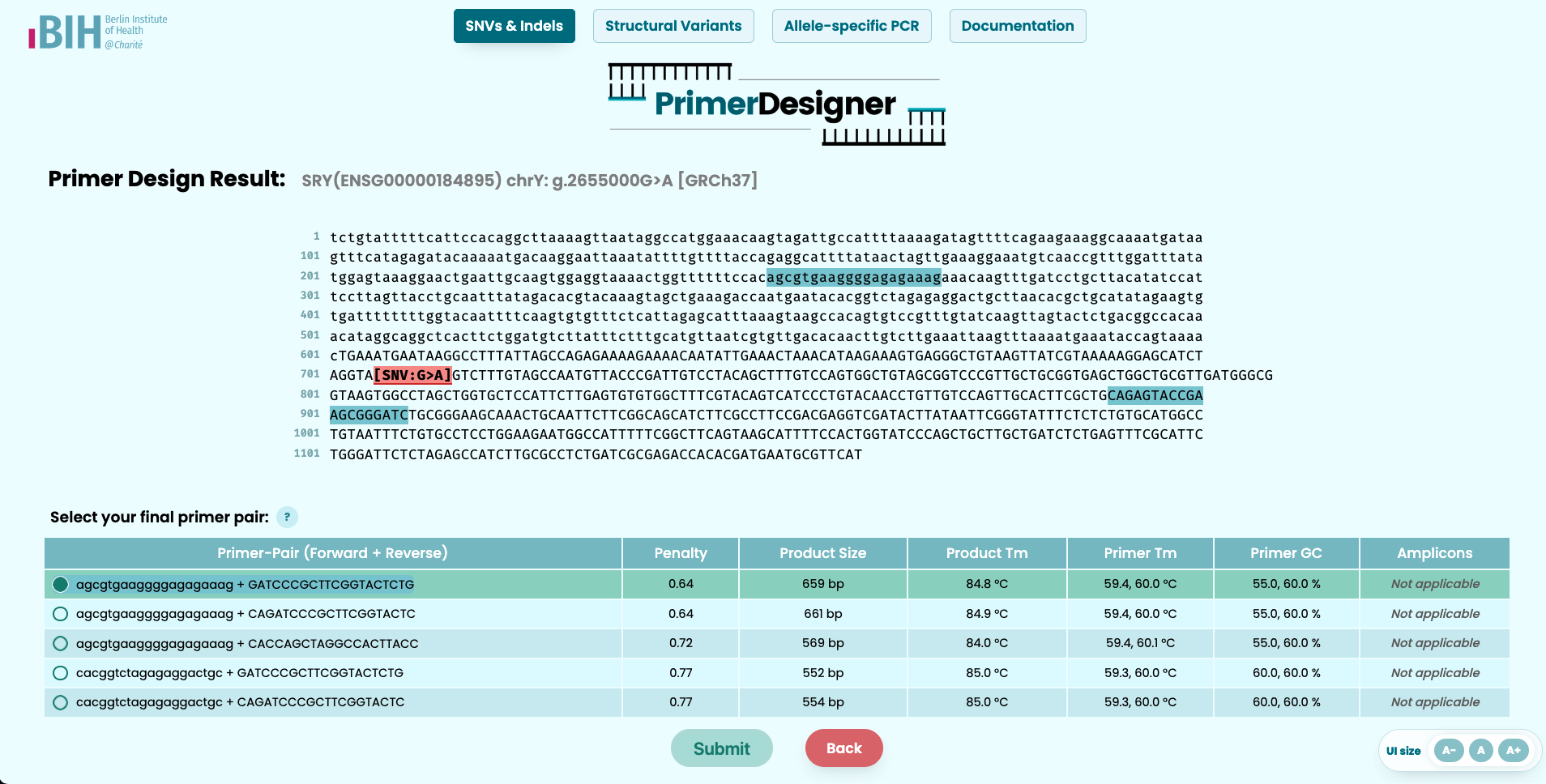
- Select a primer pair from the table when designing primers (penalty score is a key ranking signal).
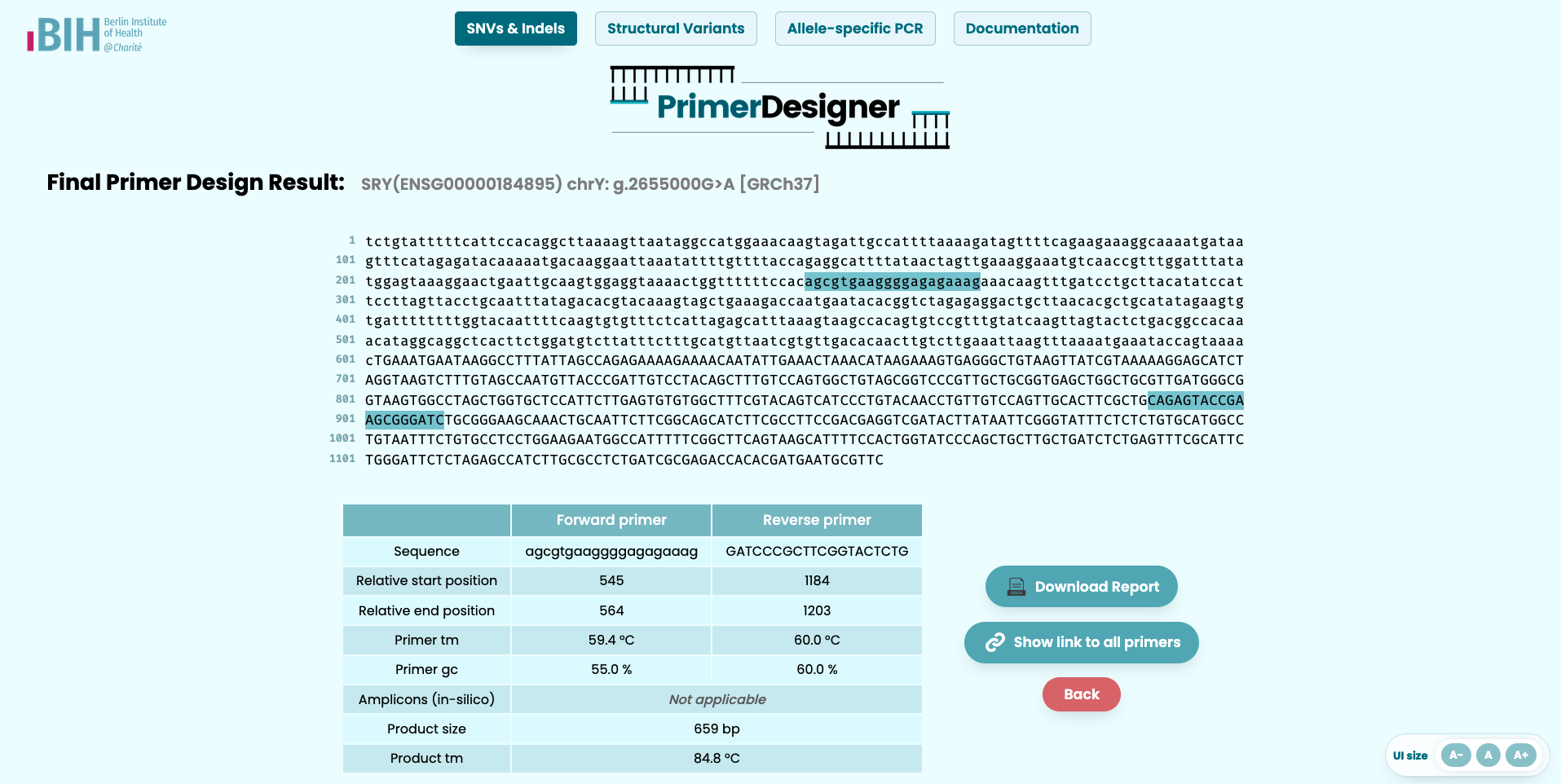
- Download report for the selected primer pair (design modes).
Inputs
Supported input modes
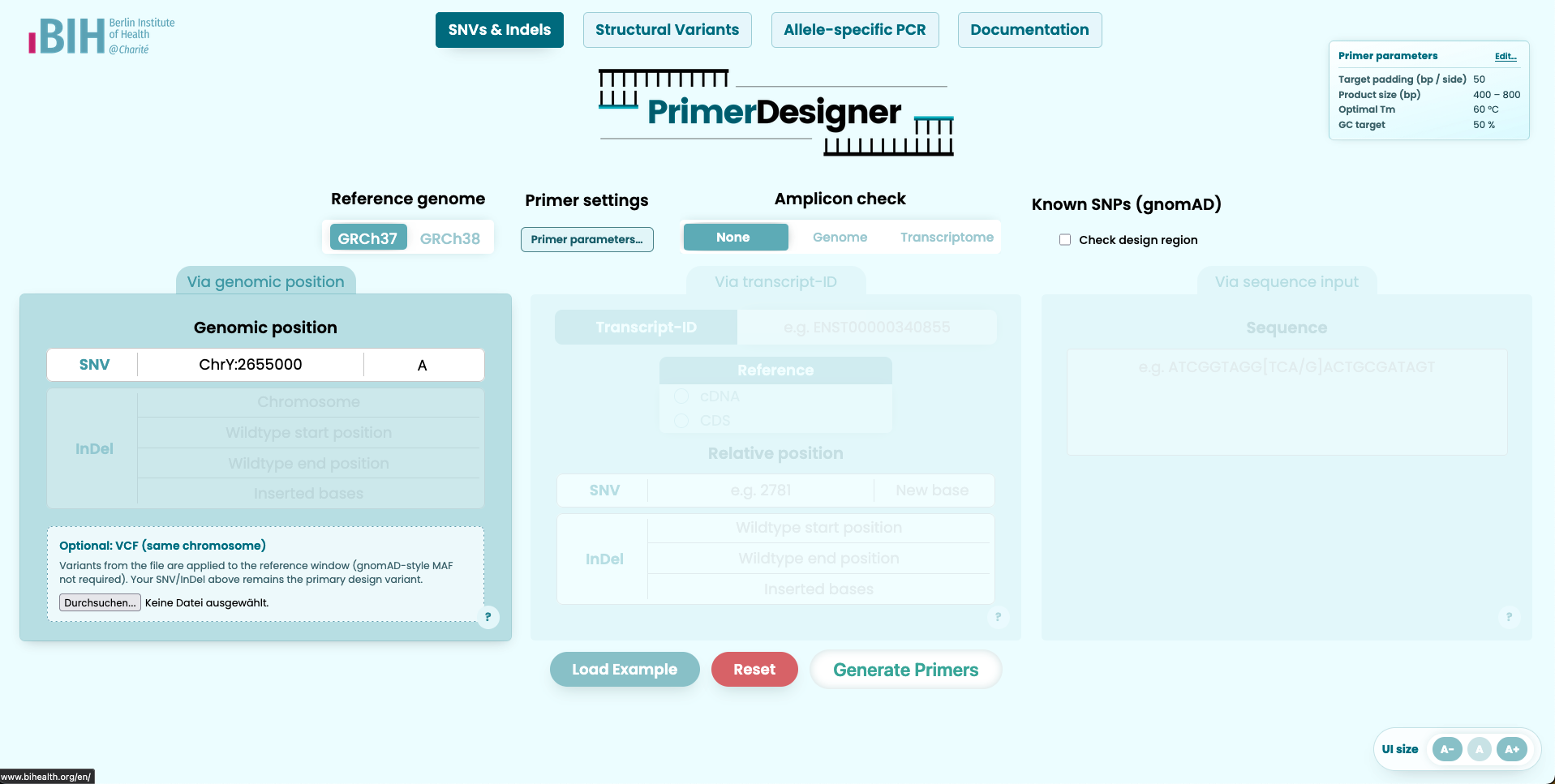
SNV/Indel via genomic position
Enter chromosome and position and specify the variant. Optionally upload a VCF from the same chromosome to spike background variants into the reference window before designing primers.
SNV/Indel via transcript
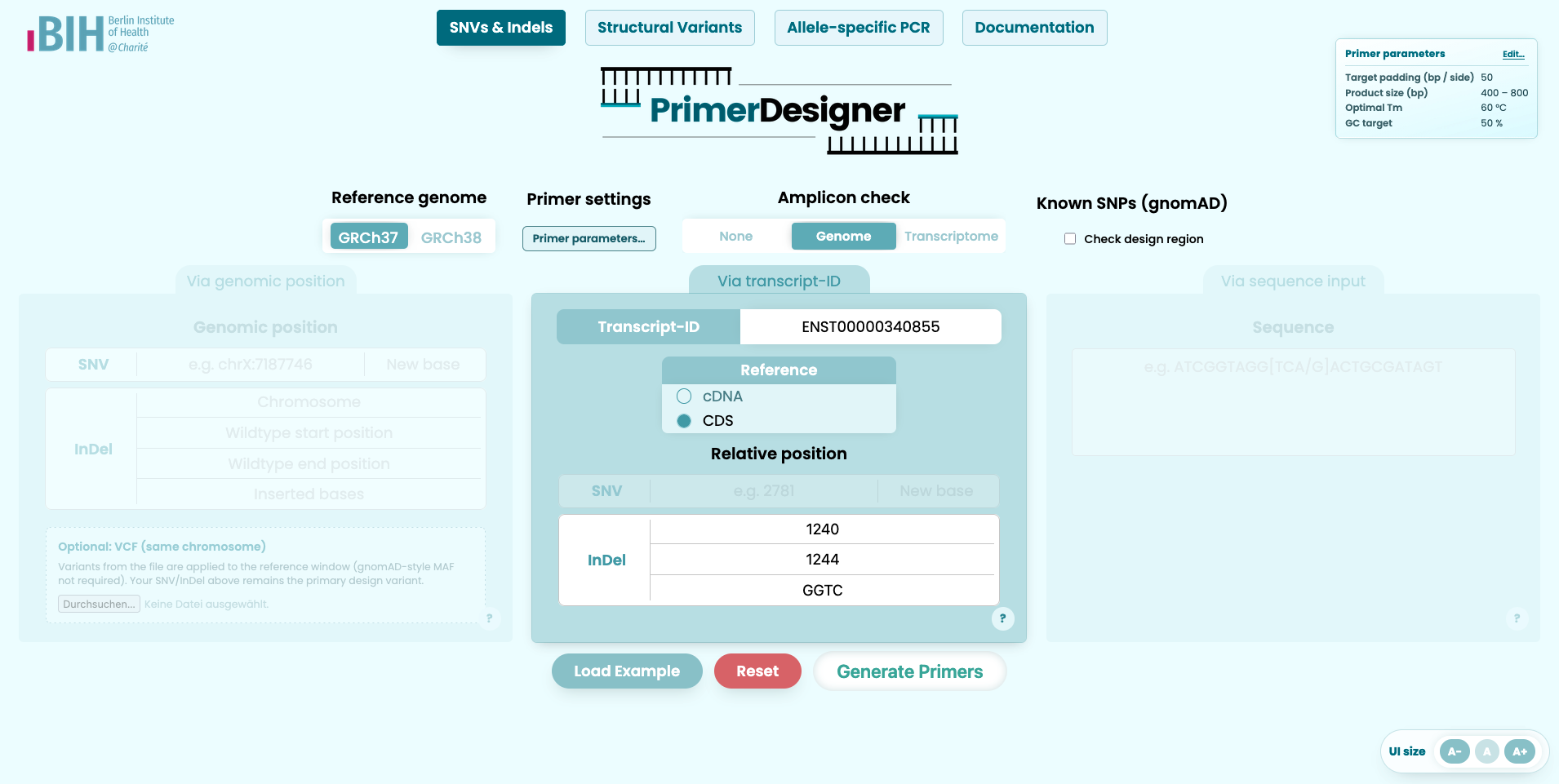
Provide a transcript identifier and specify the variant relative to genome or transcript. This mode supports substitutions and indels. Choosing CDS vs cDNA sets the coordinate numbering; primer design always uses the full cDNA sequence (including UTRs) so early coding variants still have upstream sequence for left primers.
SNV/Indel via full sequence
Paste a full sequence and annotate variants inline using bracket notation.
[G>A]          SNV (substitution)
[-/ATGC]       insertion
[ATGC/-]       deletion
[GCAGG/GGTC]   delins (replace REF with ALT)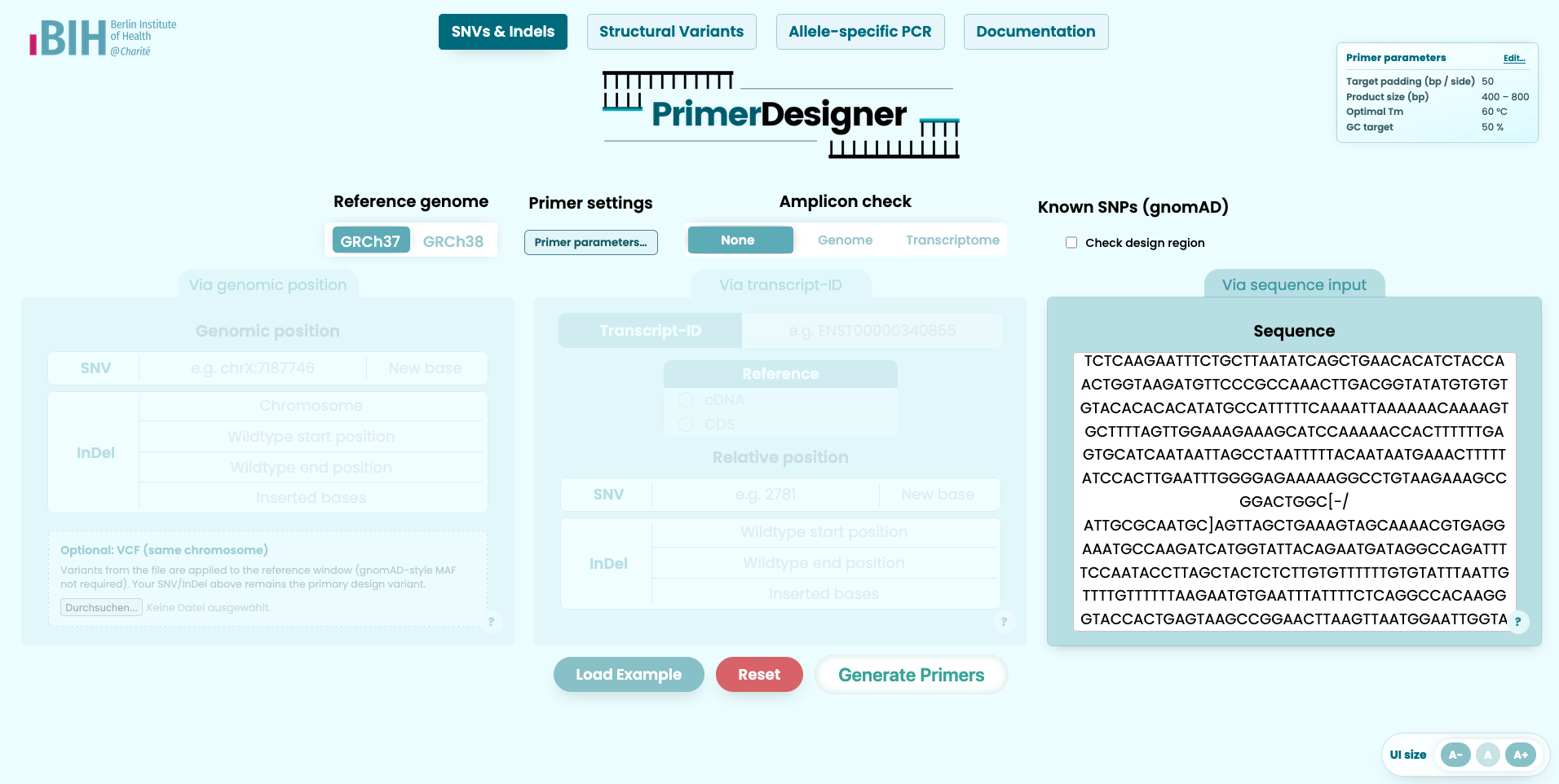
Allele-specific PCR (AS-PCR / ARMS)
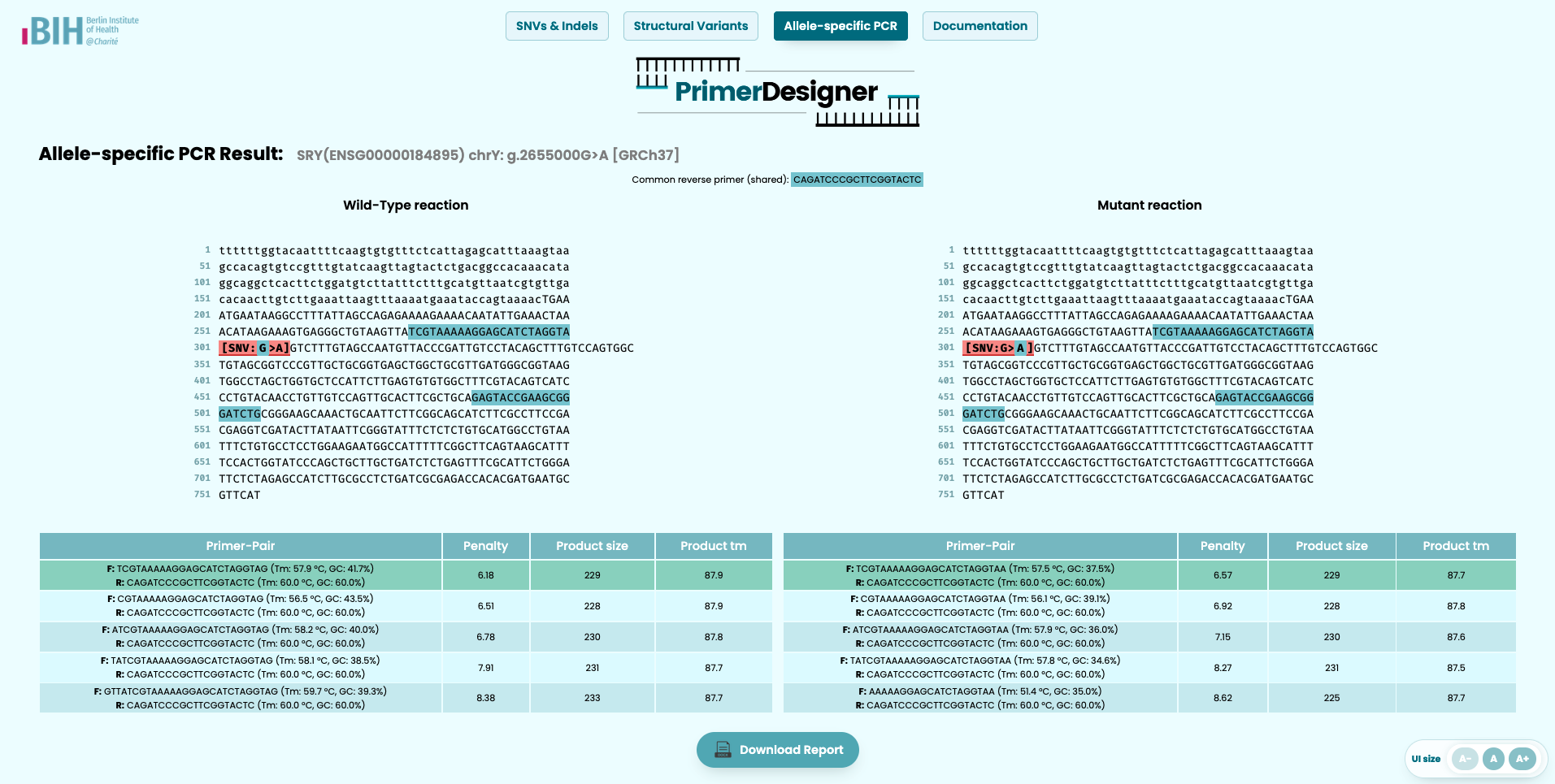
Designs two allele-specific reactions: a WT-specific and a MUT-specific reaction. The allele-discriminating base is placed at the 3′ end of the allele-specific primer.
Structural variants
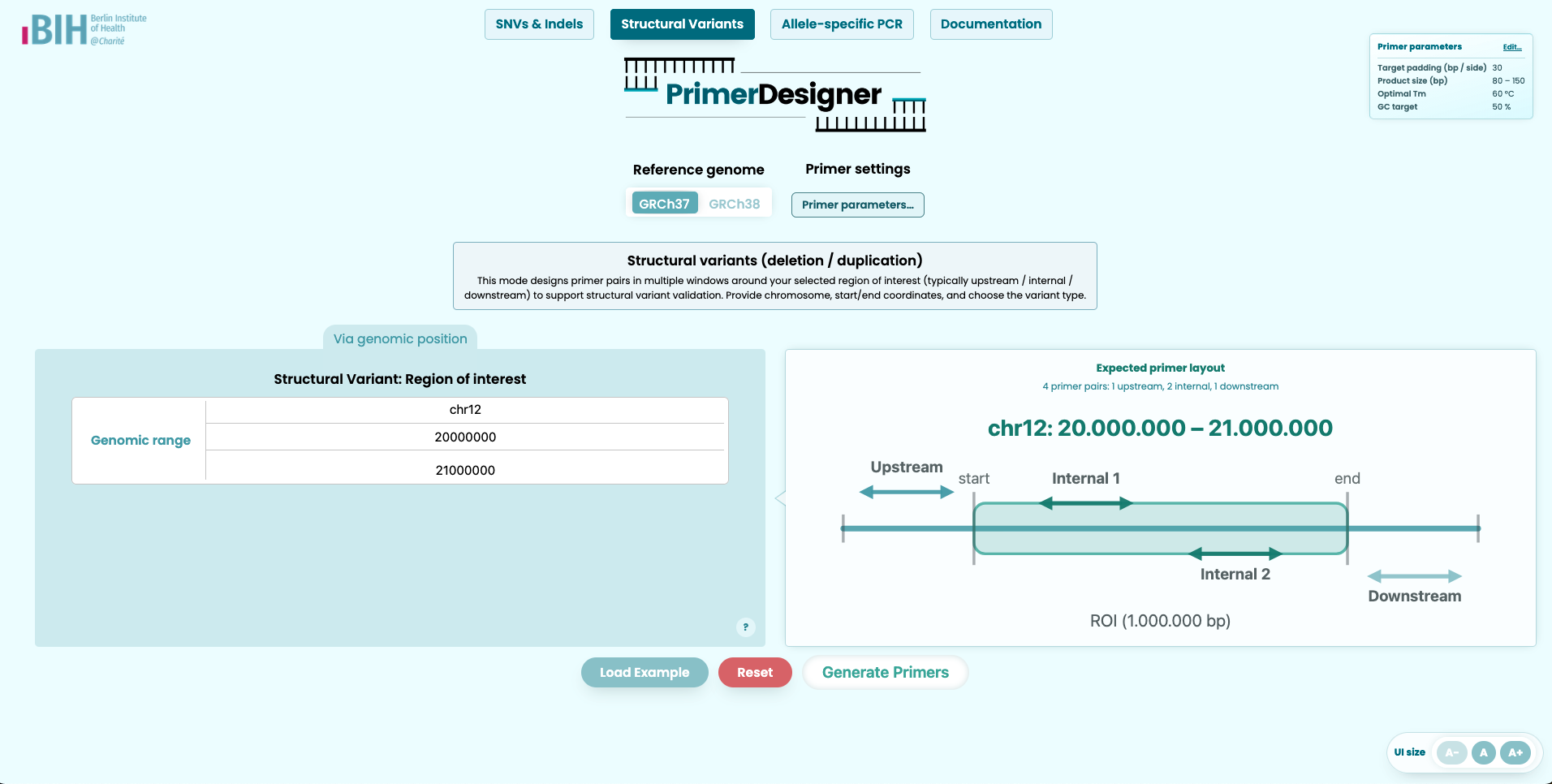
Provide chromosome and start/end coordinates for the region of interest and select deletion or duplication. PrimerDesigner designs multiple windows (upstream/internal/downstream) to support SV validation workflows.
SilicoPCR
Paste an existing forward and reverse primer sequence (DNA bases A/C/G/T/N, 10–60 bp each). Choose the reference genome (GRCh37/GRCh38) and search context (Genome or Transcriptome). SilicoPCR runs Dicey in-silico PCR and lists predicted amplicons with coordinates and product sequence — without designing new primers.
Interpreting results
How to read the output
- Penalty score: lower is generally better (Primer3 ranking signal).
- Primer Tm / GC%: helps assess primer compatibility and PCR conditions.
- Product size / Product Tm: expected amplicon length and melting temperature.
- Highlighting: primers (teal/blue) and variant bracket (green) are highlighted in the sequence snippet.
- AS-PCR: WT and MUT reactions may highlight different bases inside the same bracket annotation.
Reports
Download a report
After selecting a primer pair, you can download a DOCX report containing the selected primer details and a sequence snippet with highlighting.
FAQ
Frequently asked questions
How do you generate the primers?
PrimerDesigner uses Primer3 (via primer3-py) to generate primer candidates and ranks them by Primer3’s penalty score. Depending on the selected input mode, PrimerDesigner first constructs a sequence window around the variant and then runs Primer3 with the chosen parameter preset (PCR/qPCR or custom).
- Primer design engine: Primer3 (via primer3-py)
- Web framework: Django
- In-silico PCR / amplicon summaries: Dicey (when enabled)
- Reference sequences: PrimerDesigner can work with GRCh37/GRCh38 genomic references and transcript references. Setup details (download links, indexing, file names) are documented in the GitHub repository: PrimerDesigner (see also the reference files section).
How do you check for amplicons?
If the Amplicon check option is enabled, PrimerDesigner runs an in-silico PCR-like analysis against the selected reference context to estimate the number of potential amplicons and to summarize the most relevant ones (for example, expected product length and genomic location). This helps you spot primers with many potential off-target products.
Note: in some specialized modes (e.g. AS-PCR), the app may intentionally disable certain checks to keep the design workflow stable and fast.
How do you check for SNPs?
If SNP checking is enabled, PrimerDesigner queries the Ensembl Variation API for variants overlapping the current design region and then annotates primer pairs where common variants overlap primer binding sites.
- Variant source: Ensembl variation overlap + per-variant frequency lookup (includes gnomAD frequencies where available).
- Filter: keeps only common variants with global MAF > 1% (gnomAD/1000G populations).
- Output: a region summary + per-primer-pair status: none, caution, conflict (binding-site overlap), or error/skipped.
- UI: common variants in-region are highlighted (yellow/orange); overlaps with the selected primer binding sites are emphasized and shown in the details modal.
- Limitations: SNP checking requires genomic or transcript coordinates (sequence-only input cannot be mapped reliably).
Why do I see two sequences when using AS-PCR?
AS-PCR designs two separate reactions:
a WT reaction and a MUT reaction. Both reactions show the same bracket notation
(e.g. [G>A]), but the primer overlap highlighting differs:
in the WT reaction, primer overlap applies to the reference base(s); in the MUT reaction,
primer overlap applies to the alternate base(s).
This is intentional: the allele-specific primer is designed to discriminate at the 3′ end, so the two reactions are not interchangeable.
What is the idea behind multiple primer sets for structural variants?
Structural variants (SVs) often require more than one primer strategy because breakpoints and sequence context can vary. PrimerDesigner therefore designs primers in multiple windows around your region of interest (typically upstream, internal, and downstream). This increases the chance of obtaining at least one robust assay for validation or screening.
Troubleshooting
Common issues
No primer pairs returned
- Try relaxing constraints (primer length, Tm range, GC limits).
- Adjust product size range.
- In transcript mode: verify transcript ID and the selected reference type (cDNA/CDS). CDS numbering still designs on full cDNA (with UTRs).
- If a warning says no amplicon covers the variant, the site may be too close to a transcript end for flanking primers.
- In SV mode: double-check chromosome and coordinate range.
Bug reports (unexpected highlighting or other issues)
If you notice unexpected highlighting or other incorrect behavior, please treat it as a bug and report it via the GitHub repository (see Support below). Include the used input, selected primer settings, and a screenshot if possible.
Support
Contact
For questions, feedback, or bug reports, please use the project repository or contact the project team directly.
- GitHub repository: PrimerDesigner
- Contacts: Dominik Seelow, Oliver Küchler
When reporting a problem, it is helpful to include the used input, the selected primer settings, and the displayed error message if available.